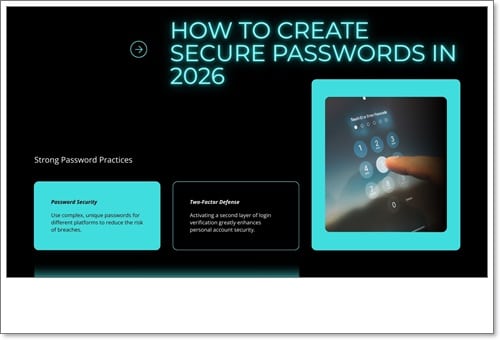
Strong password practices are one of the most important steps to protect online accounts from cyber attacks. Weak or reused passwords make it easy for hackers to access personal data, financial information, and digital identities.
What Are Strong Password Practices?
Strong password practices refer to creating and managing passwords in a way that makes them difficult to guess, crack, or steal. These practices help prevent unauthorized access and reduce the risk of data breaches.
Why Strong Passwords Are Important for Online Security
Many cyber attacks succeed because users rely on simple or repeated passwords. Following proper password practices, along with basic cybersecurity awareness tips, can significantly lower the risk of account compromise. Strong passwords help protect accounts from unauthorized access. You can also secure your online profiles using our guide on social media security.
How to Create a Strong and Secure Password
1. Use a Long Password
A strong password should be at least 12–16 characters long. Longer passwords are harder for hackers to crack.
2. Mix Characters
Use a combination of uppercase letters, lowercase letters, numbers, and special symbols to make passwords more secure.
3. Avoid Personal Information
Never use names, birthdates, phone numbers, or common words that can be easily guessed.
4. Use Unique Passwords for Every Account
Reusing passwords across multiple platforms increases the risk of multiple account breaches.
Best Tools to Manage Strong Passwords
Remembering multiple strong passwords can be difficult. Using trusted cybersecurity tools for beginners, such as password managers, helps store and generate secure passwords safely.
Common Password Mistakes to Avoid
- Using short or simple passwords
- Reusing the same password on multiple sites
- Sharing passwords with others
- Writing passwords in unsecured places
Enable Extra Protection with Two-Factor Authentication
Two-factor authentication adds an extra layer of security by requiring a second verification step, even if a password is compromised.
Trusted External Resource on Password Security
For official guidance on creating secure passwords, users can visit password security guidelines provided by government cybersecurity agencies.
FAQs About Strong Password Practices
How often should passwords be changed?
Passwords should be changed regularly, especially after a data breach or security alert.
Are password managers safe?
Yes, reputable password managers use strong encryption and are safer than storing passwords manually.
Is one strong password enough?
No. Every account should have a unique strong password for maximum security.
Final Thoughts
Strong password practices are a basic yet powerful defense against cyber threats. By creating secure passwords and managing them properly, users can protect their online accounts and reduce the risk of cyber attacks in 2026 and beyond.